 ScaleDM
Manage multiple Instagram accounts and Facebook Pages
Use Meta’s business login to connect multiple Instagram accounts and Facebook Pages you manage in one Business Portfolio. Switch between client accounts without signing in again.




- Accounts
- Instagram Business or Creator · Facebook Pages
- Access
- Permissions in Meta Business Portfolio
- Reporting
- Delivery and clicks per connected account
Work in the right client account
Approve accounts together
Choose eligible assets in your Meta Business Portfolio.
Meta Business PortfolioApprove Instagram accounts and Facebook PagesSwitch in Settings
Open the account row in Settings, then select a brand.
Weekend Edit Morning GoodsResults per account
Each account has its own automations and results.
86 DMs sent24 Link clicksWeekend Edit · illustrative totals
Connect your Meta Business Portfolio
Check access
Get permission to manage the client’s assets in Meta.
Start the connection
Choose Continue with Meta Business when adding an account.
Approve assets
Select the Instagram accounts and Facebook Pages to connect.
Select an account
Open its automations and results in ScaleDM.
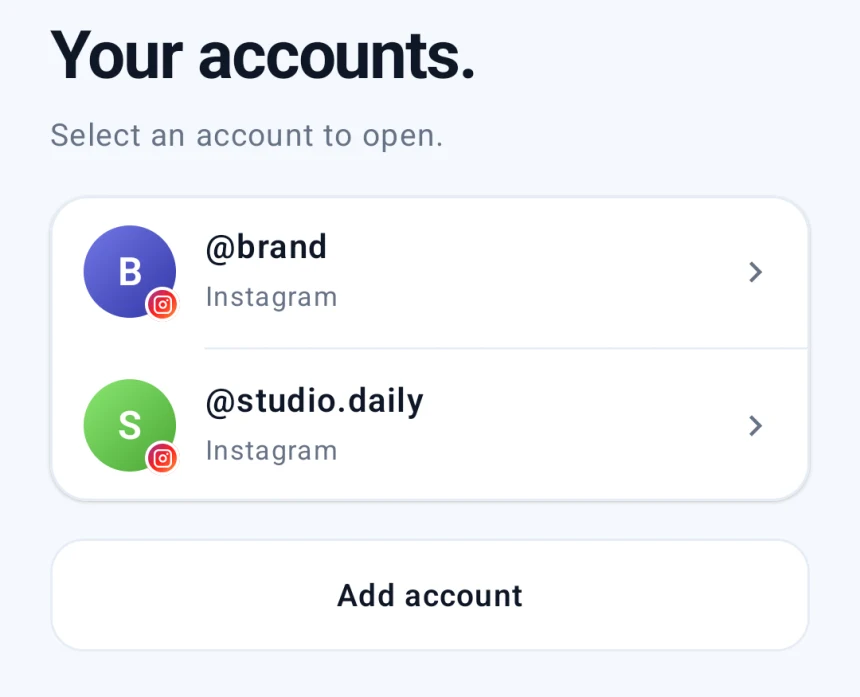
In Your accounts, pick a client to open their workspace or choose Add account to connect another one.
View full-size screenshotTeams and agencies in practice
- Connect
- Approve a retailer’s Instagram account and Facebook Page.
- Switch
- Edit the Reel reply on Instagram. Switch to Facebook for post replies.
- Report
- Open each account for its delivery and clicks.
Questions people ask
Why isn’t a client account showing up?
Check that you’re using the right Meta login and that the account or Page is assigned to you in the selected portfolio.
Can I connect Instagram accounts and Facebook Pages together?
Yes. Select eligible assets in your Meta Business Portfolio in one connection.
Do I need my client’s password?
Use your own Meta login and the permissions the client granted you.
Connect the accounts you manage
Start with the accounts you already have access to in Meta Business Portfolio.